
Most local businesses set up their Google Business Profile once, fill in the obvious fields, and never come back to it. That’s fine for a while. But search behavior shifts seasonally, Google rolls out new features quietly, and the profile that was working in spring is usually leaking visibility by late September.
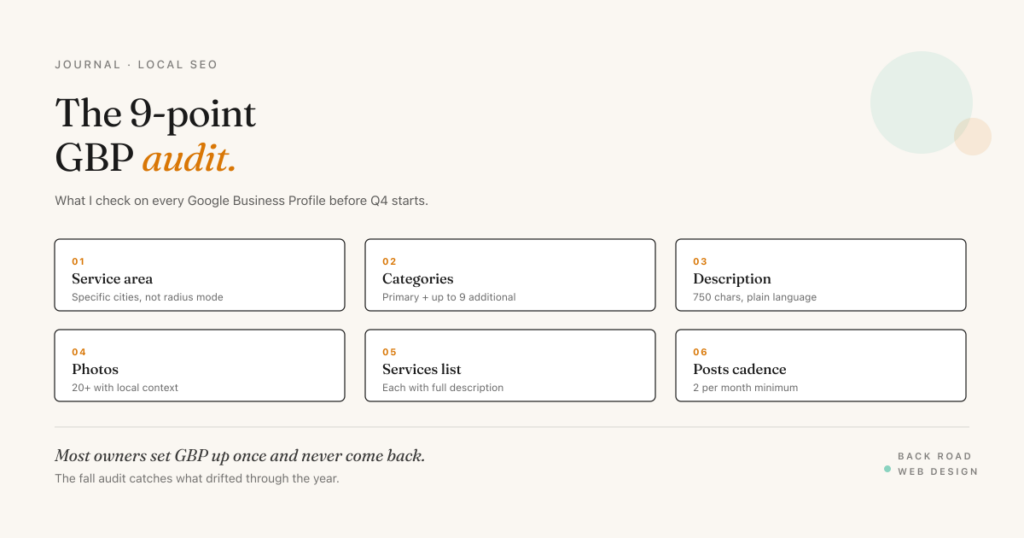
I run a 9-point Google Business Profile audit on every profile I touch heading into Q4. It takes about 45 minutes per profile and almost always surfaces 2–4 fixes that move the map pack within six weeks. Here’s the audit, in the order I run it.
1. Service-area definition
The biggest gap I see, by a wide margin. Most profiles still have a service-area set to a 50-mile radius from the business address — that’s what Google auto-suggested when the profile was created, and most owners never changed it.
Switch from radius mode to “specific cities” mode and list every city you take calls from as a separate line item. A SLO-based contractor who serves SLO, Pismo, Arroyo Grande, Atascadero, and Paso Robles gets five distinct geo signals instead of one fuzzy one. Each city you list becomes a place Google can rank you for “{trade} {city}” searches.
If you’re a brick-and-mortar (storefront, clinic, restaurant) you don’t need a service-area at all — your address is the location signal. But if you serve customers at their locations, this single change is the highest-impact thing on the audit.
2. Category set
GBP lets you pick one primary category and up to nine additional categories. Most profiles use the primary and skip the rest. The additional categories let you signal adjacent services Google might rank you for separately.
Example: a medical practice with primary category “Medical clinic” can add “Family practice physician,” “Internal medicine physician,” and any specific specialty. Each additional category is a separate eligibility for category-specific ranking.
The trap is over-selection — adding categories that aren’t a fit for your business hurts more than it helps because Google’s relevance signals get confused. Pick categories you’d genuinely answer the phone for.
3. The “from the business” description
A 750-character field most profiles leave empty or fill with marketing language. The space wants plain, useful, descriptive prose — who you serve, what you do, what’s distinct about how you do it, what you don’t do.
Write it the way you’d describe your business to a friend at a barbecue. Skip the LinkedIn vocabulary. If you specialize in commercial HVAC and don’t do residential, say that. If you only book new patients on referral, say that. Clarity here filters out wrong-fit inquiries and surfaces you for the right searches.
4. Photos with location context
Most GBPs have generic stock-feeling photos. The ones that move visibility have photos that say “this business exists here, not generically anywhere.”
Aim for 20+ photos with at least 8 showing local context — a storefront with a recognizable street sign, your team in a regional setting, a product photographed somewhere a local would recognize. A winery photographing barrels in a Paso Robles vineyard at golden hour does more for local relevance than the same shot in a generic studio backdrop.
Update photos monthly going forward. Google’s algorithm reads recency as a sign of an active business, and active businesses tend to outrank dormant ones in close calls.
5. Services list with full descriptions
GBP lets you add each service you offer with a short description — up to about 300 characters. Most businesses list 4–5 services with no descriptions.
Every service description becomes an indexable signal Google uses to surface the profile for related searches. A real estate brokerage that describes “Buyer representation” in plain language with their specific approach is more visible for “real estate buyer agent {city}” than one with a bare service label.
If your service list runs long, lead with the ones that have the highest search demand or the highest revenue per close.
6. Posts cadence
GBP posts function like a mini blog inside the profile. Most businesses use them once at launch and then forget. Posting isn’t a ranking lever on its own, but posts show up directly in the local pack search result for branded searches — visibility at the exact moment someone is deciding whether to click.
Aim for two posts per month at minimum — an offer, an event, an update, or a what’s-new. Each post can include an image and a CTA button. Easiest cadence: schedule one mid-month status post and one offer or event post that ties to current seasonality.
7. Reviews velocity and response
Reviews matter for two distinct reasons: they affect map-pack ranking (volume + recency + sentiment all factor in) and they affect click-through rate from search (star count is the most prominent thing under your business name).
Audit your last 30 days of reviews. If you have fewer than two in that window, your review acquisition is too slow for most local categories. Build a simple post-service email or SMS with a direct review link, and ask every customer.
Audit your last 90 days of review responses. Every review — positive, negative, neutral — should have an owner response. The response is also publicly indexed, so it’s another place to use your service vocabulary and respond to the specific situation.
8. Customer questions answered on your website
For years this audit point was about seeding the profile’s Q&A section. That section is gone. Google retired public Q&A in late 2025 and replaced it with AI-generated answers pulled from your profile and your website. You can’t post answers into the profile anymore, but you can still control where the AI finds them.
Take the questions you hear from customers — “Do you take Blue Shield?” / “Do you serve Cambria?” / “What’s your minimum project size?” — and answer them on your website as a plain FAQ page, marked up with FAQPage schema. That’s the source material Google’s answer layer reads when someone asks about your business, and the same pages feed AI search beyond Maps.
The audit step: search your business on Google and in Maps, note what the AI answers get right or miss, and make sure every question you hear weekly has a clear written answer on your site.
9. Products (where applicable)
Google added Products as a GBP feature several years ago but most non-retail businesses don’t realize it applies to them. A medical practice can list its specific service products. A winery can list specific wines. A contractor can list specific service packages.
Each product gets a name, price (optional), description, photo, and a “Order online” or “Learn more” button that can link anywhere. Products show up in the profile and occasionally in shopping results, and they’re another indexable signal.
If your business has fewer than 5 product entries, that section is under-developed.
The audit in 45 minutes
The audit isn’t complicated. It’s a pattern interrupt — a structured reason to look at the profile you set up two years ago and never came back to. Most businesses find 2–4 of the 9 points need work. A few find more.
Set a recurring calendar event for the last week of September. Run the audit before Q4 starts. The fixes that land will pay off through the holiday season and into spring.
The full 27-item version of this audit — with per-vertical notes for medical, home services, winery, and professional services — is the GBP Optimization Checklist. It’s a free Google Doc you copy into your own Drive.
Related reading: Google Business Profile Mastery 2026 · Google Reviews Strategy That Moves Rankings · California Local SEO Playbook 2026. Looking for hands-on help? See Local SEO services.