
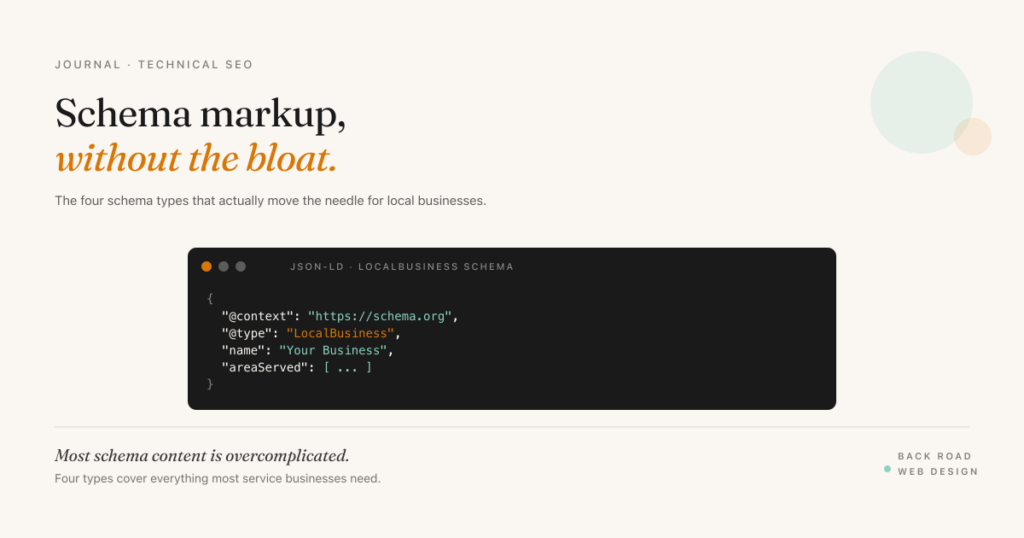
Most schema markup content online is bloated and abstract. It treats schema as if it’s a list of fifty types you should be implementing, with code samples that span hundreds of lines and minimal explanation of what’s actually doing the work. The reality for service businesses is much simpler: four schema types cover most of what matters, and getting them right will move the needle more than implementing twenty schemas badly.
This post walks through the four schema types that matter for local service businesses, copy-paste examples for each, the validation step most people skip, and the Yoast vs. Rank Math vs. manual JSON-LD trade-off if you’re on WordPress.
What schema markup does (and doesn’t do)
Schema markup is structured data added to a page in a way that helps search engines parse the content without guessing. It’s invisible to visitors — it lives in the HTML — and it tells Google: this is the business name, this is the address, this is a service we offer, here’s a customer review. Google can extract that information directly instead of inferring it from page text.
What schema does:
- Helps qualify your pages for rich results — star ratings in search snippets, FAQ accordions, business info panels. These don’t always appear, but they can’t appear at all without schema.
- Makes content readable to AI search systems — ChatGPT, Perplexity, Google’s AI Overviews all lean on structured data. Schema is increasingly important for AI search visibility.
- Reduces ambiguity for the algorithm — Google may rank a page about “plumbing” without schema; with Service schema declaring the service, the relevance signal is clearer.
What schema doesn’t do:
- Improve rankings on its own. Schema is a relevance signal, not a quality signal. A page with great schema but thin content still ranks poorly.
- Guarantee rich results. Google chooses when to display rich results. Schema makes you eligible, not entitled.
- Replace good on-page content. Schema describes the page; it doesn’t replace it.
The four types that matter for local service businesses
1. LocalBusiness (or its specialty subtype)
The foundation. LocalBusiness has dozens of subtypes — Plumber, Electrician, MedicalBusiness, RestaurantBusiness, Dentist, etc. Use the most specific subtype Google offers; it’s a stronger signal than the generic LocalBusiness type.
Goes on the homepage, contact page, and any major service or location page. Required properties: name, address, telephone. Strongly recommended: openingHours, geo coordinates, image (logo or storefront), priceRange.
{
  "@context": "https://schema.org",
  "@type": "Plumber",
  "name": "Example Plumbing",
  "image": "https://example.com/logo.png",
  "telephone": "+1-805-555-0100",
  "address": {
    "@type": "PostalAddress",
    "streetAddress": "123 Main Street",
    "addressLocality": "San Luis Obispo",
    "addressRegion": "CA",
    "postalCode": "93401",
    "addressCountry": "US"
  },
  "geo": {
    "@type": "GeoCoordinates",
    "latitude": 35.2828,
    "longitude": -120.6596
  },
  "openingHours": "Mo-Fr 08:00-17:00",
  "priceRange": "$$"
}
One important constraint: the address property is required for LocalBusiness schema. If you have no public address, don’t fake one — use Organization schema instead and rely on areaServed lists rather than full LocalBusiness on city pages without an address.
2. Service schema
One Service schema per individual service you offer. Goes on the relevant service page — emergency plumbing on the emergency plumbing page, drain cleaning on the drain cleaning page. The areaServed property is critical for service area businesses, and serviceType lets Google parse exactly what you do.
{
  "@context": "https://schema.org",
  "@type": "Service",
  "serviceType": "Emergency Plumbing",
  "provider": {
    "@type": "Plumber",
    "name": "Example Plumbing"
  },
  "areaServed": [
    { "@type": "City", "name": "San Luis Obispo" },
    { "@type": "City", "name": "Paso Robles" },
    { "@type": "City", "name": "Atascadero" }
  ],
  "description": "24/7 emergency plumbing services across San Luis Obispo County."
}
3. FAQ schema
The most under-used schema type for service businesses. If you have a FAQ section on a page — and most service pages should — wrapping it in FAQ schema makes it eligible for the FAQ accordion in search results. Even when Google doesn’t display the rich result, the schema clarifies the page’s structure.
The questions in your FAQ schema should match real questions you get from customers, not generic SEO bait. Honest, useful questions and answers get the rich result more often than keyword-stuffed Q&As.
{
  "@context": "https://schema.org",
  "@type": "FAQPage",
  "mainEntity": [
    {
      "@type": "Question",
      "name": "Do you offer emergency plumbing service in Paso Robles?",
      "acceptedAnswer": {
        "@type": "Answer",
        "text": "Yes — we dispatch from San Luis Obispo and typically reach Paso Robles within 60 minutes for emergency calls."
      }
    },
    {
      "@type": "Question",
      "name": "What does an emergency call cost after hours?",
      "acceptedAnswer": {
        "@type": "Answer",
        "text": "Our after-hours dispatch fee is $185 plus the cost of any parts or labor needed."
      }
    }
  ]
}
4. Review or AggregateRating
This one has the most rules. Google has tightened review schema policies significantly over the past few years. The current rules require that review markup be on a self-contained page with a clear primary entity and that the review content be visible to users on the same page. Self-serving reviews (a business marking up reviews of itself on its own homepage) are explicitly disqualified from rich results.
For most local service businesses, the practical use is AggregateRating embedded inside the LocalBusiness schema, populated only with verified Google or third-party reviews that are also displayed on the page. If your reviews live entirely on Google Business Profile and aren’t displayed on your site, you can’t use this schema — and that’s fine. Google reads reviews from your GBP directly.
{
  "@context": "https://schema.org",
  "@type": "Plumber",
  "name": "Example Plumbing",
  "aggregateRating": {
    "@type": "AggregateRating",
    "ratingValue": "4.8",
    "reviewCount": "147",
    "bestRating": "5",
    "worstRating": "1"
  }
}
Don’t fabricate ratings. Don’t inflate review counts. Don’t use AggregateRating without displaying the reviews on the page. Each of those is a Google policy violation, and the manual penalty for review spam is severe.
The validation step nobody does (and everyone should)
Schema that doesn’t validate doesn’t help. Google’s Rich Results Test takes a URL or a code snippet and tells you whether the schema is valid, what rich result types you’re eligible for, and what errors or warnings need fixing.
Common errors I see:
- Missing required properties. “Address is required for LocalBusiness” — every service business with no public address sees this error and can’t figure out the fix. Use Organization schema instead, or add the address if you have one.
- Wrong @type case. JSON-LD is case-sensitive. “localbusiness” doesn’t validate; “LocalBusiness” does.
- Multiple LocalBusiness entities on one page. Stacking three LocalBusiness blocks (one for each location you serve) on a single page weakens the relevance signal. One per page; use areaServed for multi-city coverage.
- AggregateRating without visible reviews. The schema validates technically, but Google won’t display a rich result if the reviews aren’t shown on the page.
Run the validator on your homepage and your top 2-3 service pages. Fix the errors. Re-run. That’s the entire process.
Yoast vs. Rank Math vs. manual JSON-LD
If you’re on WordPress, three options:
- Yoast SEO (free or premium). Generates LocalBusiness, Organization, and BreadcrumbList schema by default. Handles the basics well. The free version covers most service businesses adequately. Premium adds finer control over types and properties.
- Rank Math (free or pro). Generates more schema types out of the box, including Service and FAQ schema with a visual interface. Generally more flexible than free Yoast, and the free Rank Math handles cases that require Yoast Premium.
- Manual JSON-LD. Best for complex setups (multi-location, multi-service businesses with custom structures). More control, more work to maintain. Use a tool like Merkle’s Schema Markup Generator to produce the JSON-LD, then paste it into a Custom HTML block or your theme’s head section.
For most local service businesses on WordPress, Rank Math (free) handles the four schema types with the least friction. Yoast Premium is fine if you’re already paying for it. Manual JSON-LD is overkill unless you have edge cases the plugins can’t handle.
Score your schema readiness
Schema Readiness · 8 Items
Score your schema setup.
Want help getting your schema markup right?
I’ll audit your current schema, identify what’s missing or invalid, and send you a written report with the specific fixes ranked by impact.
Get a free schema audit →