
I Audited 10 Home Services Websites in SLO and SB County — 5 Patterns Worth Fixing
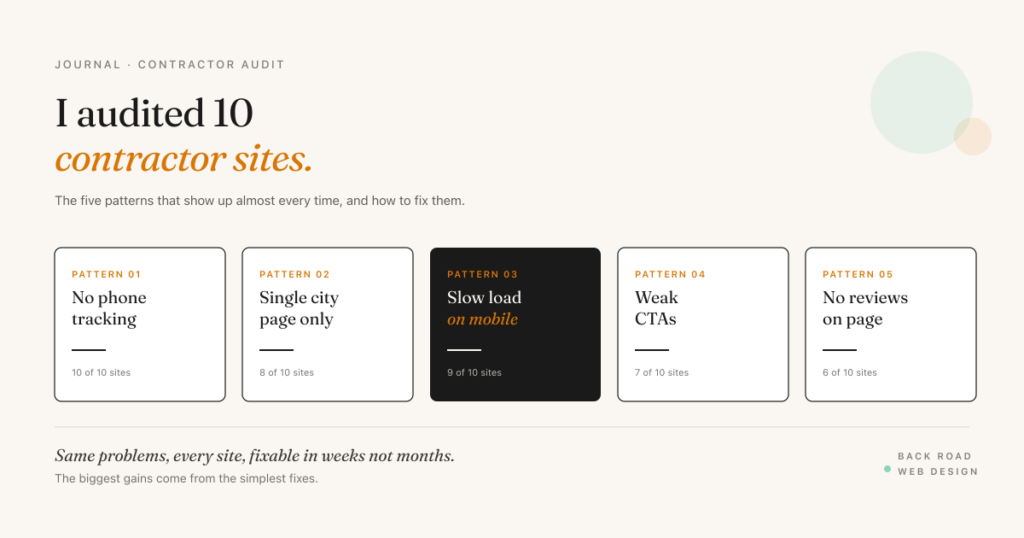
I spent a week looking at ten home services contractor websites in San Luis Obispo and Santa Barbara counties — plumbers, HVAC, electricians, roofers, tree service, junk removal. Different specialties, different price points, different sized companies. The same five problems showed up on almost every single one.
This isn’t a roundup of bad sites. Most of the ones I looked at are fine — clean enough, mobile-friendly enough, with photos of your actual work and customer reviews. But fine doesn’t bring in leads. The five patterns below are what separates a contractor site that quietly converts traffic from one that doesn’t, and the fixes are mostly tactical, not redesigns.
Names are anonymized — this isn’t about calling anyone out. It’s about giving you a checklist to compare against your own site.
Pattern 1 — No phone-call tracking (10 of 10 sites)
This was the most consistent finding. Every single contractor site I audited used a single phone number across all marketing — Google Ads, Google Business Profile, the website, Yelp, business cards. That single number means there is no way to know which channel is actually producing the calls that turn into jobs.
The implication: when you spend $1,500 a month on Google Ads and the phone rings ten times this week, you have no idea whether those rings came from the ads, from someone Googling your name, from a returning customer, or from your truck signage. You’re guessing about the most expensive part of your marketing budget.
The fix is call tracking — a service like CallRail, WhatConverts, or Google’s built-in call extensions that assigns a different phone number to each marketing source and forwards calls to your real number. The numbers ring through identically; the analytics tell you which source produced each call. Most call-tracking services run $30–$100 a month and pay for themselves the first time you reallocate ad spend based on real data.
Pattern 2 — Single-city homepage for a multi-city business (8 of 10 sites)
Most of these contractors serve five to ten cities across the Central Coast — but their websites read like single-city operations. The homepage says “Plumbing in San Luis Obispo.” The contact page lists one address. There’s a vague “we serve the Central Coast” line, and that’s the entire local SEO strategy for cities outside the home base.
That structure leaves rankings on the table everywhere outside the home city. Someone in Paso Robles searching “plumber Paso Robles” is unlikely to find this site, even though the contractor takes Paso Robles jobs every week. The fix is dedicated city pages — real, useful pages with unique content per market. Not templated copy with the city swapped in. Real content that proves you know and serve that city.
The full mechanics of multi-city SEO for contractors are covered in the service area SEO post. The short version: separate your URL structure into /services/ for what you do and /service-area/ for where you do it, and only build city pages for markets where you have real customer density.
Pattern 3 — Slow mobile load (9 of 10 sites)
Nine of the ten sites I audited took more than four seconds to fully load on mobile, tested on a simulated 4G connection. Several took over six. Google’s Largest Contentful Paint metric — a key Core Web Vitals signal — should hit under 2.5 seconds for a “good” rating. Anything over 4 seconds is treated as “poor” and starts impacting rankings.
The culprits are predictable: enormous unoptimized hero images (often 4-5MB JPEGs that should be 200-400KB WebP), too many tracking and chat scripts firing in parallel, and slow shared hosting that buckles under spikes. None of those are hard problems. They’re “we’ll fix it next month” problems that quietly stay broken for years.
The leverage move: run your homepage through Google’s PageSpeed Insights, fix the top two or three things it flags, and re-test. Most contractor sites can move from “poor” to “needs improvement” in a single afternoon of work. Moving to “good” usually takes another week of effort focused on image optimization and script cleanup.
Pattern 4 — Weak or missing calls-to-action (7 of 10 sites)
Most contractor sites have one CTA: “Contact Us.” It’s in the navigation, on the homepage, and at the bottom of every page. It’s also generic, low-friction, and rarely the right next step for the visitor.
What works better is matching the CTA to the page intent. On an emergency service page, “Call us now — 24/7 dispatch” is more useful than “Contact Us.” On a quote-driven service page, “Get a free quote in 60 seconds” with an actual short form is more useful than a contact form with eight fields. On an informational service explanation page, “Get pricing for [service]” with a clear single-question form converts better than a generic Contact CTA.
The pattern that quietly underperforms across the audited sites: long contact forms (eight or more fields) on every page, with no quick-call alternative. Simplify the form to three fields — name, phone, what you need — and put a click-to-call button next to it for visitors who’d rather skip the form entirely. Conversion rates roughly double when this change is made, in my experience auditing comparable sites.
Pattern 5 — Reviews invisible above the fold (6 of 10 sites)
Six of the ten sites had reviews on their site, but you had to scroll past two or three sections to find them. On mobile, that means three full screens of scrolling before any social proof appears. Most visitors decide whether to call within the first 15 seconds on the page. If your reviews aren’t visible in those 15 seconds, they’re not doing the job they were collected for.
The fix is moving review proof above the fold — either as a star count and “based on X reviews” line near the headline, or as a single rotating quote with attribution. The full reviews section can still live further down. The signal that “real customers trust this business” needs to be visible immediately.
For sites with strong Google review profiles, embedding live reviews via a Google Reviews widget pulls the freshest reviews onto the page automatically. The trade-off is that you lose curatorial control, but you gain authenticity — visitors can tell the reviews are real.
The fixes, ranked by leverage
If you find any of these patterns on your own site, the order I’d tackle them is roughly:
- Set up call tracking first. Every other decision improves once you can see real channel attribution.
- Fix mobile load speed second. Without this, the rest of the work compounds slower because every page has a built-in headwind.
- Strengthen the CTAs and form simplicity third. This is the highest-leverage conversion fix that doesn’t require a full rebuild.
- Move reviews above the fold fourth. Quick win, immediate effect on visitor confidence.
- Build out city pages last. This is the longest project — easily a month or more of content work — but it has the longest tail of compounding ranking gains.
Score your own contractor site
Eight items based on the patterns above. Tap each one your site already has dialed in.
Contractor Site Audit · 8 Items
Score your contractor site.
Want me to run this audit on your contractor site?
I’ll review the same eight items above on your real site and send you a written report — what’s working, what’s broken, and the specific moves ranked by impact.
Get a free contractor site audit →